
7 Best Accessibility Plugins for WordPress
Looking for the best accessibility plugins for WordPress can get frustrating fast. A lot of plugins make big promises. They talk about ADA compliance, WCAG support and better usability. But when you look closer, many of them only cover part of the problem. Some focus on a simple front-end widget. Some focus on scanning. Some push you into a costly SaaS plan.
That is the problem. If you choose the wrong WordPress accessibility plugin, your site can still be hard to read, hard to navigate and difficult for people who use keyboards, screen readers or higher contrast settings. You may also end up paying for features you do not really need.
The good news is that you do not have to guess. In this guide, I compare six of the best accessibility plugins for WordPress and break down what each one does best. I also put One Accessibility at the top because it offers the best overall balance of features, WordPress compatibility and pricing for most site owners.
Why Accessibility Matters For Every WordPress Site
Accessibility matters because real people use your site in different ways. Some visitors need larger text. Some need stronger contrast. Some cannot use a mouse. Some rely on assistive technology to understand page content and move through navigation.
If your site makes that difficult, people leave. That hurts trust, engagement and conversions. A good accessibility plugin helps reduce those barriers. It will not solve everything on its own, but it can make your site much easier to use.
How We Chose the Best Accessibility Plugins for WordPress
I compared these plugins using the signals that matter most for real WordPress websites:
- Feature depth
- Ease of use
- WordPress compatibility
- Pricing transparency
- Current maintenance and install signals
- Best fit for different types of users
All details below were checked on July 29, 2026, using official vendor pages and WordPress.org plugin listings.
Quick Comparison : Top WordPress Accessibility Plugins
| Plugin | Best for | Starting price | Standout strengths | Current signal |
| One Accessibility | Best overall for most WordPress users | $78/year promo | 50+ tools, 15+ widgets, text-to-speech, builder compatibility, agency scaling | Trusted by 200+ websites |
| Accessibility Checker | Best for scanning and remediation | Free, Pro from $190/year | 40+ automated checks, issue docs, one-click fixes, no scan API limits | v1.47.0, updated 2 weeks ago, 10,000+ installs |
| WP Accessibility | Best free fix-focused plugin | Free | Skip links, focus outlines, form labels, alt checks, language attributes | v2.3.4, updated 3 weeks ago, 60,000+ installs |
| OneTap Accessibility | Best for simple setup and toolbar controls | From $69 | 24 modules, 5 profiles, 40+ languages, statement generator | v2.13.0, updated 5 days ago, 50,000+ installs |
| UserWay Accessibility Widget | Best for a managed SaaS model | From $490/year | Personalization tools, monitoring, AI-led positioning, legal support messaging | v2.6.6, updated 8 months ago, 80,000+ installs |
| Web Accessibility (Ally) | Best for Elementor users | Free plugin, paid services | Accessibility Assistant, usability widget, guided fixes, statement generator | v4.1.3, updated 3 weeks ago, 500,000+ installs |
| DJ-Accessibility | Public sector bodies, municipalities, and government institutions legally required to provide accessible web interfaces | €35 for a 6-month license | Dual layout modes: customizable floating pop-up or embedded static toolbar, lots of accessible features | For WordPress v. 1.18, released on: Tuesday, 30 June 2026; for Joomla v. 1.19, released on: Thursday, 07 May 2026 |
1. One Accessibility Review: Best Overall Accessibility Plugin For WordPress
If you want the best accessibility plugin for WordPress for overall value, One Accessibility deserves the top spot.
Why? Because it gives you a broad feature set without forcing you into a high starting price. That makes it a strong fit for businesses, bloggers, agencies and store owners who want practical accessibility improvements that work across modern WordPress builds.
According to the official One Accessibility site and pricing page, every paid plan includes a full toolbar and 50+ accessibility tools. The pricing page also says all paid plans include 15+ accessibility widgets, text to speech and reading modes, high contrast and color controls, font size, spacing and cursor tools and custom accessibility profiles and presets.
That already makes it more feature-rich than many basic toolbar plugins. But the bigger reason it ranks first is compatibility. One Accessibility says it works with Gutenberg, Elementor, WPBakery, Beaver Builder, Divi, Bricks and WooCommerce. For many WordPress users, that is a huge advantage. You do not want an accessibility plugin that only behaves well in one builder or breaks parts of your site layout.
It also includes features that matter in day-to-day use. The official site highlights keyboard navigation, screen reader compatibility, focus indicators, skip links, ARIA accessibility support, text resizing, readable fonts, dyslexia friendly fonts, highlight links, highlight headings, pause animations, hide images, big cursor and on-screen keyboard support. The site also says it includes a built-in screen reader and text-to-speech experience, which is a meaningful differentiator in this price range.
Pricing is another big reason One Accessibility comes in at number one. On July 29, 2026, the public pricing page showed the Personal plan at $79 per year on promotion for one production website. The Business plan is $149 per year for up to five websites. The Agency plan is $699 per year for up to 1,000 active client sites. For agencies and multi-site teams, that is an unusually strong licensing model.
This plugin will not replace manual testing or make any site fully compliant on its own. No plugin can do that. But if your goal is to get the strongest mix of front-end accessibility controls, WordPress compatibility and affordable pricing, One Accessibility is the best overall choice in this comparison.
Top features
- 50+ accessibility tools
- 15+ accessibility widgets
- Text to speech and reading modes
- Keyboard navigation and focus support
- High contrast and color controls
- Font size, spacing and cursor tools
- Custom accessibility profiles and presets
- Builder support for Gutenberg, Elementor, Divi, Bricks, Beaver Builder, WPBakery and WooCommerce
- Agency support for up to 1,000 sites
- White label support on the Agency plan
Best for
- Business websites
- Bloggers
- Agencies
- WooCommerce stores
- Users who want strong value and broad feature coverage
2. Accessibility Checker Review: Best For Finding and Fixing Issues
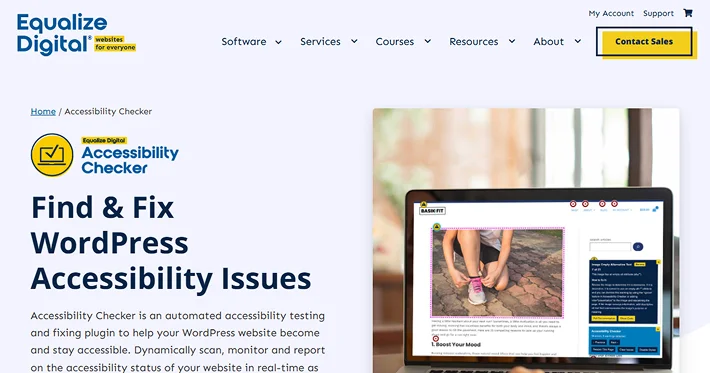
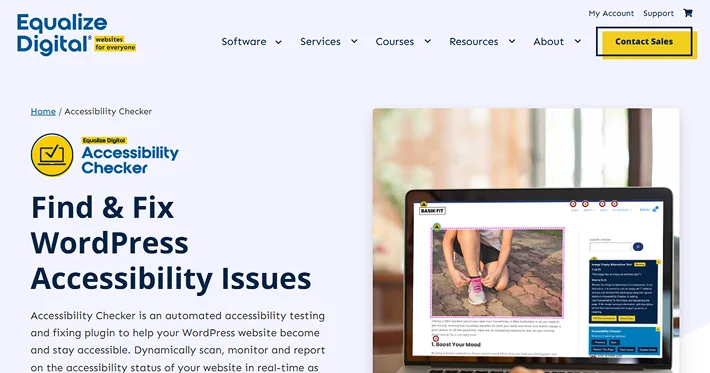
Accessibility Checker is the best option in this list if your priority is detecting and remediating issues within WordPress.
Its WordPress.org listing says it scans content every time you save or publish and runs over 40 automated checks based on WCAG 2.2. It also provides documentation for each issue so editors, developers and site owners can fix problems faster. The plugin includes one-click fixes for common issues such as skip links, focus outlines, missing lang and dir attributes, field labels and incorrect focus order.
One of its best advantages is cost control. The official listing says scans run on your own server, which means no URL-based scan limits or API usage fees for posts and pages. The free version covers blog posts and pages with no limit to how many times you scan them. Pro adds full-site scanning, custom post type scanning and centralized reports.
On the pricing side, the official pricing page shows the Professional plan at $190 per year for one site.
This is why Accessibility Checker sits at number two instead of number one. It is excellent for scanning and remediation. But for most WordPress site owners who want visitor-facing controls and broader out-of-the-box usability features, One Accessibility offers a more complete all-around package.
Top features
- 40+ automated WCAG-based checks
- Real-time scanning in the editor
- One-click fixes for common barriers
- Accessibility statement generator
- No external scanning API required
- Unlimited post and page scans in free version
- Full-site reports in Pro
Best for
- Editors
- Developers
- Publishers
- Teams that want to fix issues at the source
3. WP Accessibility Review: Best Free Accessibility Plugin For WordPress
WP Accessibility is still one of the best free options available.
It focuses on practical fixes instead of marketing-heavy claims. The WordPress.org listing highlights skip links, language and text direction attributes, keyboard focus outlines, long descriptions for images, alt attribute enforcement, media library checks for missing alt text and support for better form field labeling.
This plugin works well when you want to improve accessibility without adding a heavy interface or external service. It is also a strong companion plugin if you already manage accessibility carefully and only want help with a few common issues.
Top features
- Skip links
- Language and text direction attributes
- Keyboard focus outlines
- Alt text enforcement helpers
- Image checks in media library
- Better form accessibility support
- Free to use
Best for
- Budget-conscious users
- Developers
- Site owners who want lightweight fixes
4. OneTap Accessibility Review: Best For Fast Setup And Simple Controls
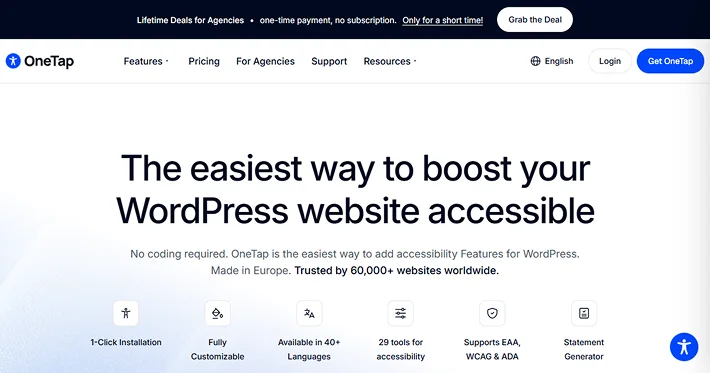
OneTap Accessibility is a good choice if you want a clean accessibility toolbar and an easy setup process.
Its WordPress.org listing shows 50,000+ active installs and an update as recent as 5 days ago, which is a strong freshness signal. Its pricing page says the plugin includes 24 modules, 5 pre-made profiles, automatic language, a statement generator, 1-click installation, 40+ languages and remediation coverage messaging for EAA, EN 301 549, WCAG and ADA.
The official pricing page shows the one-website plan at $69.
OneTap is not as broad as One Accessibility from a feature and value perspective, but it is easy to recommend for users who want a modern toolbar and a simple buying path.
Top features
- 24 modules
- 5 pre-made profiles
- 40+ languages
- Statement generator
- 1-click installation
- Keyboard and visitor control focus
- Agency options available
Best for
- Small businesses
- Non-technical users
- Sites that want a modern toolbar fast
5. UserWay Accessibility Widget Review: Best For A Managed SaaS Accessibility Platform
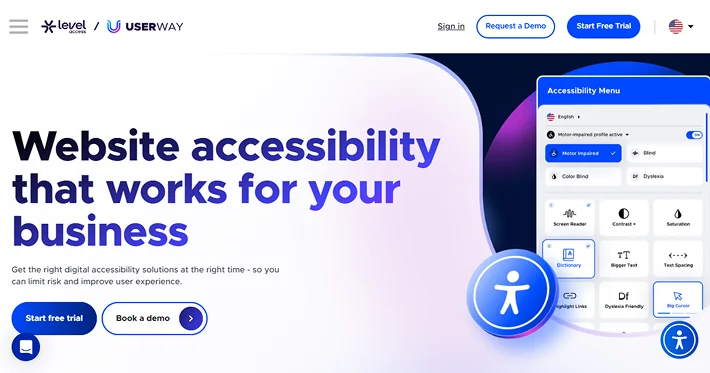
UserWay is one of the most recognizable accessibility brands, but it follows a different model from most WordPress-native plugins.
Its WordPress.org plugin page says the widget makes smart modifications to site elements that may prevent keyboard-only navigation or create ADA-related issues. The plugin listing also says you receive login instructions by email after installation, which shows how closely the product ties into UserWay’s external service.
Its official pricing page starts at $490 per year for the Pro plan. That plan includes Automated Remediation Technology, User personalization, Monitoring, Accessibility Audits, VPATs, Live Translations, Usage Stats, 24/7 chat support and a Litigation Support Program.
UserWay makes sense if you want a service-led solution. It makes less sense if you want the best WordPress-native value.
Top features
- Automated remediation positioning
- User personalization tools
- Monitoring
- Accessibility audits
- Live translations
- Usage stats
- Litigation support messaging
Best for
- Organizations that want a managed vendor relationship
- Teams comfortable with SaaS-based accessibility tooling
6. Web Accessibility (Ally) Review: Best Ffor Elementor Users
Web Accessibility (Ally) is the most Elementor-focused plugin in this roundup.
Its WordPress.org listing highlights three main pieces: Accessibility Assistant, a Usability Widget and an Accessibility Statement Generator. The listing says Accessibility Assistant can scan any URL on demand, detect accessibility gaps, provide step-by-step guidance and even offer AI-powered remediation suggestions. The usability widget lets visitors adjust things like font size, color contrast, image visibility, animation pausing, language selection and more.
It also has a huge install base at 500,000+ active installations, which makes it one of the biggest names in this category on WordPress.org.
The reason it ranks sixth is simple. It is a better fit for Elementor-focused websites than for the wider WordPress market. If you use Elementor heavily, it deserves a closer look. If you want broader builder flexibility and better value, One Accessibility is the stronger overall option.
Top features
- Accessibility Assistant
- URL scanning
- Guided fixes
- AI-powered suggestions
- Usability widget
- Accessibility statement generator
Best for
- Elementor users
- Teams already working inside the Elementor ecosystem
7. DJ-Accessibility
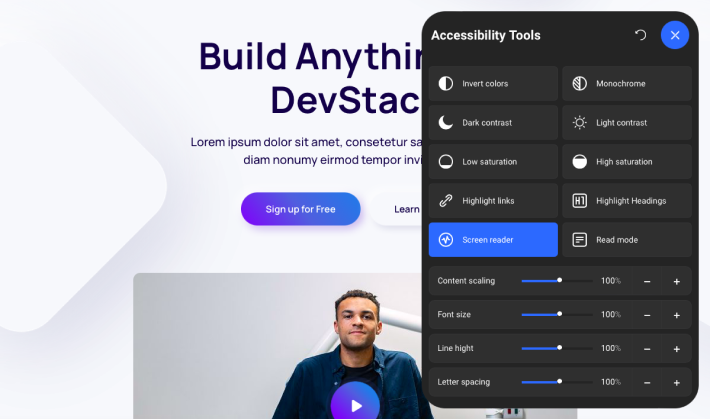
DJ-Accessibility is the best option if you want a lightweight, visitor-facing accessibility widget that blends seamlessly into your existing website design. Accessibility Plugin for WordPress and Joomla gives site owners direct control over display formatting: you can deploy it as an unobtrusive pop-up panel or integrate it as a dedicated, static toolbar placed directly into your header or page layout.
The core toolkit targets key visual barriers directly. It includes Smart Contrast options such as color inversion, monochrome mode, dark and light contrast presets, and saturation adjustments (low and high). For readability, visitors can modify font sizing, letter spacing, and line height, as well as highlight links and headings to immediately spot interactive page elements. The plugin also provides built-in keyboard navigation support, allowing visitors to access and trigger all options without using a mouse.
DJ-Accessibility also includes an in-browser text-to-speech screen reader that reads aloud selected text in the site’s language, alongside a dedicated Read Mode that strips away distracting visual clutter. It allows site owners to upload custom button icons to match their branding and configure mobile button positioning so the panel never covers critical touch targets on smaller screens.
Top features
- Dual layout modes: customizable floating pop-up or embedded static toolbar
- Smart Contrast suite: color inversion, monochrome, dark/light contrast, and saturation controls
- Typography adjustments: custom font size, letter spacing, and line height
- Structural highlighters for headings and active links
- In-browser screen reader for reading selected text aloud
- Integration with YOOtheme Pro
Best for
- Public sector bodies, municipalities, and government institutions legally required to provide accessible web interfaces
- Educational institutions and non-profits aiming to improve usability for visitors with disabilities
- Site owners who want visitor-controlled contrast, font, and reading tools
Pricing
Paid plans start at €35 for a 6-month license, €55 for a 1-year subscription, and €197 for an Unlimited Plan (all plans include unlimited domains).
Which Accessibility Plugin Is Right for Your WordPress Site?
The right accessibility plugin depends on what your site needs most.
- Choose Accessibility Checker if you want the best issue detection and remediation workflow.
- Choose One Accessibility if you want the strongest mix of price, feature depth and WordPress compatibility.
- Choose WP Accessibility if you want a solid free plugin.
- Choose OneTap Accessibility if you want a sleek toolbar with easy setup.
- Choose UserWay if you want a managed SaaS platform.
- Choose Web Accessibility (Ally) if you build inside Elementor and want native alignment.
Final Thoughts
Trying to choose the best accessibility plugins for WordPress can feel overwhelming because every plugin claims to be the right answer. That confusion leads many site owners to pick a tool that only solves half the problem. Then visitors still struggle with navigation, readability and usability.
You do not need to stay stuck there. If you want the most practical all-around solution, start with One Accessibility. It gives you broad accessibility controls, strong builder compatibility and a price point that is easier to justify than many SaaS alternatives. If your main goal is scanning and remediation, Accessibility Checker is still an excellent second choice.
Pick the plugin that matches your real need. Then test your site, improve your content and keep making the experience better for every visitor.
Related Articles:
- Selecting the Out of Box Pricing Table for a WordPress Website
- Best WordPress Automation Plugins in 2026: Tested and Compared
- How to Add WordPress Pricing Tables in Gutenberg
FAQs
Why is One Accessibility ranked number one?
It ranks first because it offers the best overall balance of usability features, WordPress compatibility and pricing. It is a better all-around fit for most site owners than the more specialized tools below it.
Does One Accessibility work with Elementor and WooCommerce?
Yes. The official site says it works with Elementor, Gutenberg, WPBakery, Beaver Builder, Divi, Bricks and WooCommerce.
Can a WordPress accessibility plugin make my site fully compliant?
Nope, a plugin can improve accessibility, but it cannot guarantee full compliance on its own.
Which plugin is best for finding accessibility problems?
Accessibility Checker is the best if your goal is to scan your site and fix issues right inside WordPress.
Is WP Accessibility still worth using in 2026?
Yes. It is still a very solid free plugin for skip links, focus outlines, alt text support and other practical accessibility improvements.
Is OneTap Accessibility a good alternative to One Accessibility?
Yes, especially if you want a simple toolbar-first setup. But One Accessibility gives you broader feature depth and better pricing flexibility for multi-site use.
Is UserWay better than WordPress-native plugins?
Not necessarily. UserWay is better if you want a service-led SaaS platform.
Leave a Reply
You must be logged in to post a comment.