
7 Best WordPress Quiz Plugins That Increase Engagement in 2026
Your visitors are scrolling. They skim, they bounce, and they move on in under 15 seconds. But there is one thing that stops them dead in their tracks: a quiz.
Interactive quizzes are the single most effective content format for engagement right now. Research shows they hit an average lead capture conversion rate of 40.1%, which absolutely crushes the 2% to 5% you get from a standard landing page.
The problem? Not every WordPress quiz plugin delivers on that promise. Some are bloated with upsells. Some have ugly UIs from 2015. Some are technically sound but miss crucial features like certificates, timers, or email opt-ins.
This guide cuts through the noise. Thus we tested and analyzed the best WordPress quiz plugins in 2026, free and paid, so you know exactly which one fits your site, your audience, and your goals.
TL;DR: If you want a WordPress quiz plugin that boosts your conversions, engagement rate and lead generations, Thrive Quiz Builder and ARForms are excellent options.
Why WordPress Quiz Plugins Matter More Than Ever in 2026
Static content is fighting an uphill battle. Blog posts inform. Quizzes involve. That difference in user behavior is huge when someone is actively answering a question, their brain is engaged in a way that passive reading simply cannot replicate.
The global gamification market which quiz tools are a central part of is projected to grow at a CAGR of 25.1% through 2030. WordPress site owners who ignore interactive content are leaving serious engagement and revenue on the table.
What to Look for in a WordPress Quiz Plugin
Before you install anything, know your use case. A quiz plugin built for viral social sharing will fail miserably as a certification engine. Here’s what to evaluate:
- Question variety: Check if it supports multiple choice, true/false, image-based, fill-in-the-blank, matching and open ended formats.
- Results and certificates: Personalized results and downloadable certificates features are must.
- Lead generation: Go with the ones that integrate with your email marketing.
- Timer support: Conducting timed exams and competitive quizzes? This feature is a must.
- Analytics: Real time reports on completions, scores, drop off points and individual responses
- Mobile responsiveness: 55% of users complete quizzes on their phones. Non-negotiable.
- Performance: Heavy quiz scripts add 200–500ms to load times. Look for optimized tools that stay under 50ms of impact.
- Pricing : At last, budget matters.
Best WordPress Quiz Plugins at a Glance (2026 Comparison)
Here’s a quick snapshot of the top contenders before we dive into each one:
| Plugin | Free Version | Price (Paid) | Best For | Standout Feature |
| QuizPress | Yes | $79/lifetime | All in one quiz and survey. | 20+ question types + certificates. |
| ARForms | Yes | $39/lifetime | Creating WordPress online forms | Real time, multi-style visual builder. |
| Quiz & Survey Master | Yes | $149+/year | Educators and developers. | Unlimited quizzes, large feature set. |
| Thrive Quiz Builder | No | $299/year | Marketing funnels. | Visual branching logic + lead capture. |
| HD Quiz | Yes | Free only/Premium add-ons | Lightweight and fast. | Zero bloat and great user interface. |
| Quiz Maker (AYS Pro) | Yes | $59/yearly | Design and templates. | Animations, certificates and pop ups. |
| Formidable Forms | Yes | $49/year | Advanced form + quiz combos. | Flexible scoring and conditional logic. |
7 Best WordPress Quiz Plugins for 2026
1. QuizPress – Best Overall WordPress Quiz Plugin
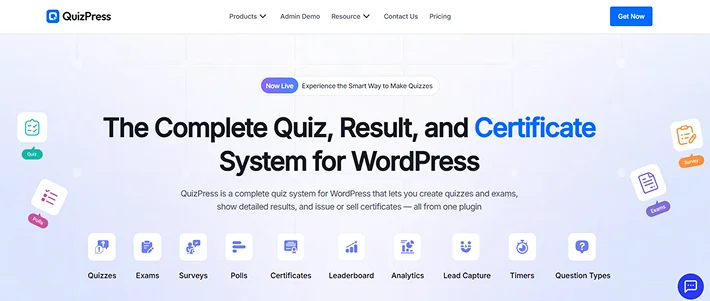
If you want one plugin that does everything such as quizzes, surveys, assessments, personality tests and certificates without juggling a pile of expensive add-ons, QuizPress is it.
Built by Kodezen, QuizPress is a native WordPress quiz builder that was designed for 2026 from the ground up. It doesn’t feel like a plugin bolted onto something else. It feels like a purpose-built assessment platform that happens to live inside WordPress.
Key Features:
- 20+ question types: multiple choice, image-based, fill-in-the-blank, matching, essay, and more
- Question bank store, categorize, and reuse questions across multiple quizzes
- Built-in certificate generation sell or award certificates directly
- Real-time analytics with individual response tracking and score breakdowns
- Lead capture with email opt-in gates before or after results
- Timer support for competitive quizzes and timed exams
- Leaderboards for gamification and community engagement
- Personality quiz builder for audience segmentation and product recommendation
- WooCommerce and StoreEngine integration sell quiz access and certificates
- Native Academy LMS compatibility such as perfect for eLearning platforms
- No-code interface with clean drag-and-drop UX
Pricing:
- Individual Plan: $79/lifetime (3 licenses).
- Business Plan: $129/lifetime (10 licenses)
- 14-day money-back guarantee included on all plans
- All addons and features included
Who is it for: Educators, marketers, membership site owners, WooCommerce store operators, eLearning course creators, and anyone who wants a single reliable quiz engine they can grow with. QuizPress handles personality quizzes, trivia quizzes, certification exams, lead gen quizzes, and survey tools, all under one roof.
2. ARForms – Best Drag and Drop Form Builder
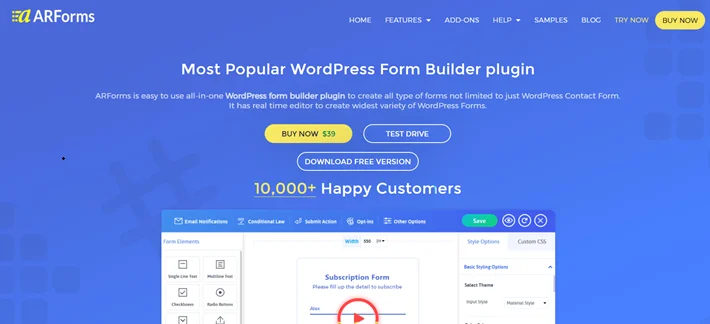
ARForms is one of the best WordPress form plugins for creating quizzes, surveys and smart interactive online forms.
Trusted by over thousands of users, you can literally just drag and drop fields into place. Building a form is as simple as putting together digital puzzle pieces. And the best part? You can also skip the hassle of drag and drop by using ready made solutions of 50+ professional templates.
As for advanced features: Conditional logic? Checked. Math Logic? Checked? Autosave Form Progress? Checked. Images for Checkboxes? Checked. So the list goes on and on with ARForms as your go-to tool.
Key Features:
- 33+ advanced form fields
- Extensive styling tools in-built
- 50+ Ready made templates and sample forms
- Advanced conditional and Math logic
- Multi-step and survey layouts
- Auto-save progress
- Intelligent spam protection mechanism along with free reCAPTCHA addon
- Deep form analytics
- Integrates with multiple email marketing tools
Pricing:
- Free version available
- ARForms Pro plan: $39/lifetime
- Premium addons sold separately along with Pro plan
Who is it for: Website owners, marketers, eCommerce store owners agencies, freelancers and developers who want to create fully professional and responsive quiz forms using simple drag and drop visual interface with zero coding.
3. Quiz and Survey Master (QSM) – Best Free Foundation for Developers
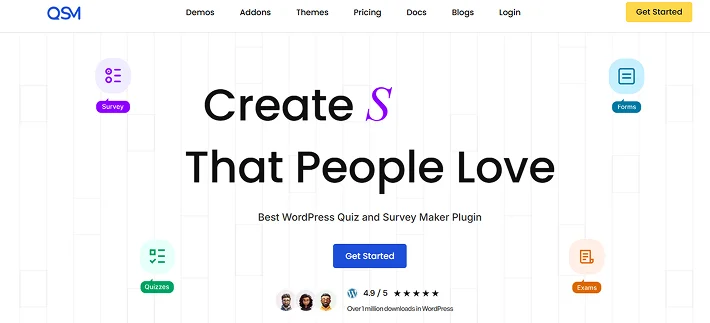
Quiz and Survey Master has been around for years and has earned its place as the go-to free WordPress quiz plugin for developers and educators. It handles a massive volume of questions, offers solid flexibility in the free tier, and has an active community behind it.
The catch is that its true power lives entirely behind expensive add-ons. Want certificates? Add-on. Leaderboards? Add-on. Advanced reporting? Add-on. It works well for developers comfortable juggling multiple extensions, but for anyone who wants everything included out of the box, QSM can become frustrating and costly fast.
Key Features:
- Unlimited quizzes and surveys.
- Email notifications.
- Results page customization with pass/fail grades.
- WooCommerce integration available via add-on.
- Certificate generation available via add-on.
- Leaderboards available via add-on.
- Analytics and reporting.
- Compatible with popular page builders and LMS plugins.
Pricing:
- Free version available.
- Premium plans start at $149/year for a single site.
- Add-ons sold separately .
- No lifetime pricing option.
Who should use it: Developers and educators who need unlimited quiz volume on a tight base budget.
4. Thrive Quiz Builder – Best for Marketing Funnels
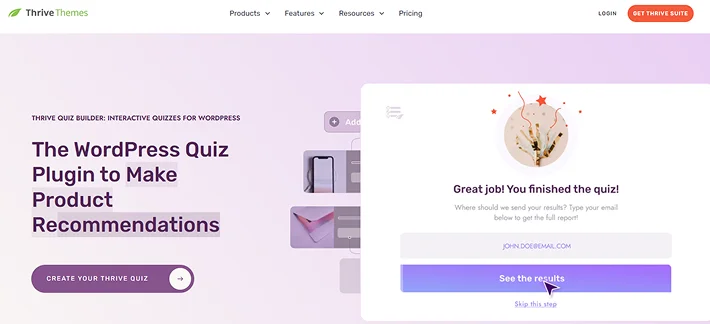
If your primary goal is turning quiz takers into leads, Thrive Quiz Builder is the most marketing-sophisticated option in the WordPress ecosystem. Its visual branching logic lets you map the entire quiz flow like a flowchart.
It’s built exclusively for marketers who expect measurable ROI. There’s no free version. No lite tier. Just a premium tool designed for teams who take lead generation seriously.
Key Features:
- Visual quiz flow builder.
- Built-in lead capture with email opt-in gates.
- Detailed analytics with funnel-level reporting.
- Social sharing triggers on the results page.
- Optin Monster and ConvertKit compatible.
- Works with Thrive Architect for custom landing pages.
Pricing:
- $299/year as part of Thrive Suite.
- No free version or standalone plan
- Requires Thrive Suite subscription for access
- No lifetime deal available
Who should use it: Marketing-first teams that want quiz-based lead funnels with email segmentation and A/B testing.
5. HD Quiz – Best Free Lightweight Option
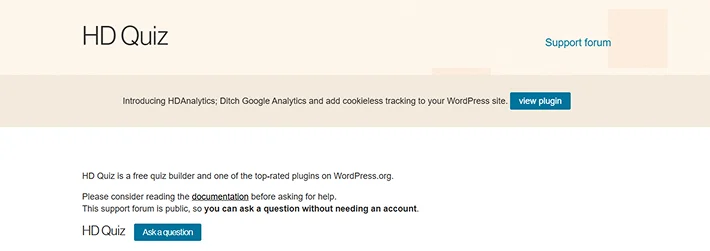 : hd quiz
HD Quiz is the best completely free WordPress quiz plugin available right now. And it’s free without an aggressive upsell waiting behind every feature. It’s clean, it’s fast, and it just works. If you need a simple quiz on your site without spending a cent or learning a complex interface, this is the one.
The tradeoff is obvious: limited question types, no lead capture, no certificates, no leaderboards, and minimal analytics. HD Quiz is purely for engagement such as trivia, knowledge tests, and personality quizzes where the goal is fun and time-on-page, not data collection or revenue.
Key Features:
- Mobile responsive quiz UI
- Multiple choice and true/false question support
- Image support within questions and answers
- Score display on quiz completion
- Shortcode and block editor embed support
- Fully self-hosted
- Timer support for basic timed quizzes
- Lightweight
- Unlimited quizzes in the free version
- Regular updates from the developer
Pricing:
- 100% free; no premium version
- Premium add-ons
- Available directly on WordPress.org
Who should use it: Bloggers, publishers, and content creators who want a simple, good-looking quiz for engagement with zero budget and zero setup complexity.
6. Quiz Maker by AYS Pro – Best for Design Control
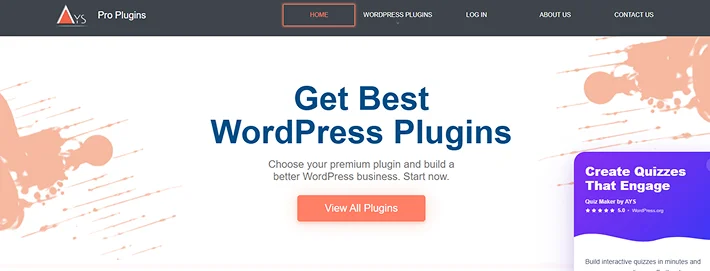
Next on the list is Quiz Maker by AYS Pro.
The reason this plugin made up in this list is because it attracted over 20,000 active users. It comes with smart features such as animations, custom certificates, pop-up quiz triggers and user dashboards that make quizzes feel like a finished product. All these features are way better if aesthetics matter as much as functionality for your brand.
The pricing model is one time which is a big advantage over yearly subscriptions.
Key Features:
- Animated quiz transitions and visual feedback effects
- Certificate generation with custom branding
- Pop-up quiz triggers; launch quizzes via button or timed pop up
- User dashboard for tracking personal quiz history and scores
- Google Sheets integration for result export
- Detailed reporting and export functionality
- WooCommerce integration via add-on
- Leaderboards available via add-on
- Conditional logic for adaptive question paths
- Multiple question types including image-based formats
Pricing:
- Free version available on WordPress.org
- Premium plans: $49 one-time payment depending on license count.
- Add-ons sold separately for advanced features
- One-time pricing — no annual renewal
Who should use it: Business owners who want the best of the best visual experience of their quizzes. So if you’re having customer facing campaigns, product launches and interactive marketing content, this plugin is an excellent pick.
7. Formidable Forms – Best for Form Heavy Sites Adding Quizzes
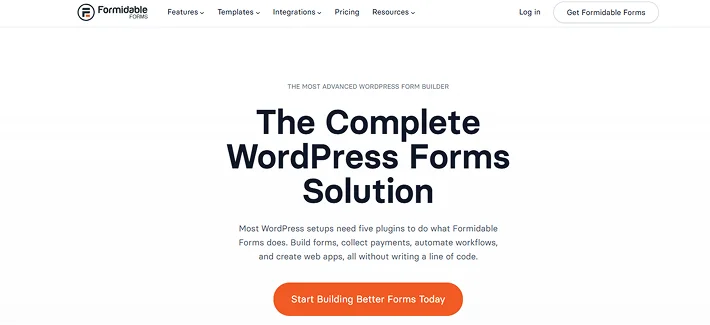
Formidable Forms is one of WordPress’s most powerful form builders. And it doubles as a capable quiz platform when you layer its scoring and conditional logic features on top of standard form fields. If your site already relies on Formidable for complex applications, multi-step forms, or structured data collection, adding quiz scoring is a natural extension.
That said, Formidable is not a quiz-first tool. The quiz experience is good, but it lives inside a form paradigm. If you’re building primarily for quizzes rather than forms, you’re buying a lot of infrastructure you may never use.
Key Features:
- Quiz scoring logic built on top of form fields
- Advanced conditional logic
- Weighted scoring with custom point assignments
- Personalized result messages based on score ranges
- Multi-page quiz support for longer assessments
- Entry management and response database
- Email notifications on quiz submission
- Integrates with Zapier, CRMs, and email platforms
- Views feature for displaying quiz results as front-end reports
- Full drag-and-drop form/quiz builder
Pricing:
- Free version available
- Quiz features require a paid plan starting pricing $79 yearly.
- Annual pricing model
- Plans vary by features; check formidableforms.com for current pricing
Who should use it: Sites already running Formidable Forms Pro for complex data collection who want to add scored assessments without a separate plugin investment.
How to Choose the Right WordPress Quiz Plugin for Your Site
There is no one-size-fits-all answer here, but there is a clear decision framework:
- You run an eLearning platform: QuizPress is the natural fit. Its Academy LMS integration, certificate engine, question bank, and timed exam support make it purpose-built for course-based education.
- You want to generate leads and segment audiences: ARForms or Thrive Quiz Builder. If budget matters, ARForms wins on lifetime pricing. If you want the most sophisticated marketing logic, Thrive has the edge.
- You need a completely free tool: HD Quiz for clean simplicity, or QSM’s free tier if you need more question volume.
- You run a WooCommerce store: QuizPress integrates with both WooCommerce and StoreEngine, letting you sell quiz-based certificates or gate quiz access behind a purchase.
- You need a personality quiz: ARForms or Thrive Quiz Builder. Both handle result branching and personalized outcome delivery well.
- You want a trivia or leaderboard quiz: QuizPress covers leaderboards natively. For a purely lightweight trivia plugin, HD Quiz is also worth considering.
If you’re an online course creator looking for more than a quiz plugin, consider a complete WordPress LMS plugin like Batu LMS. It lets you create quizzes, build courses and sell them directly from your WordPress dashboard.
Top Use Cases for WordPress Quiz Plugins
Lead Generation Quizzes
Gate results behind an email opt-in and you’ve turned a quiz into a lead magnet. A personality quiz titled ‘What Type of Entrepreneur Are You?’ that ends with ‘Enter your email to see your results’ is one of the most effective list-building strategies available. QuizPress, ARForms and Formidable forms handle this natively, connecting to your CRM or email platform without custom code.
Online Course Assessments
For eLearning platforms, quizzes are the mechanism of learning, not just engagement. Timed exams, question banks for randomization, anti-cheating logic and certificate issuance on passing grades. These features transform a quiz plugin into a full assessment engine. QuizPress covers this entire workflow.
Product Recommendation Quizzes
“Find Your Perfect Plan” or “Which Product Is Right for You?” quizzes turn browsers into buyers. And the reason it works is that they make the shopping experience feel more personalized. Integrates with WooCommerce, quiz results can dynamically link to specific products with a conversion rate optimizer hiding inside a quiz plugin.
Community Engagement and Trivia
Leaderboards and shareable results turn a quiz into a community event. Thus you can host quizzes such as “Weekly trivia posts” and ‘How well do you know [topic]?’ which drive some of the best traffic.
Final Verdict: Which WordPress Quiz Plugin Should You Use?
These are some of the top quiz plugins on the WordPress market 2026. The decision really comes down to your specific use case and how seriously you plan to invest in interactive content as a growth strategy.
Whether you’re running an eLearning platform, a marketing site, an eCommerce store, or a community hub, QuizPress is the clearest recommendation. It combines 20+ question types, certificate generation, lead capture, leaderboards, real-time analytics, and native LMS integration under a clean no-code interface with lifetime pricing that starts at just $79.
Other plugins do specific things well. Thrive Quiz Builder is the marketing funnel specialist. HD Quiz is the lightweight free option. QSM is a flexible developer tool. But none of them match QuizPress for breadth of features at this price point.
Interactive content isn’t a trend. It’s the new baseline for websites that want to convert visitors into subscribers, students, or customers. The question isn’t whether you should add a quiz to your WordPress site. It’s which plugin you should use to do it right.
Related Articles:
- 7 Best WooCommerce Reporting Plugins in 2026
- Best 15 Bricks Builder Addons That Save Time in 2026
- Best WordPress Automation Plugins in 2026: Tested and Compared
FAQs
What is the best free WordPress quiz plugin?
ARForms Lite is the best completely free option with clean UI, no upsells, and zero bloat. If you need more features in a free tier, QSM offers more flexibility but will push you toward paid add-ons quickly.
Can WordPress quiz plugins help with lead generation?
Yes, with ease. You can use WordPress quiz plugins for increasing lead generation. Even studies show interactive content converts at 40.1% versus 2% to 5% for static forms.
Can I create a personality quiz in WordPress?
Yes, Of Course! Creating personality quizzes in WordPress is easier than ever now using WordPress quiz plugins like ARForms, Thrive Quiz Builder and QSM.
Is QuizPress good for small businesses?
Very much so. The $79 lifetime Individual plan covers 3 sites with all features included, and for small business owners who want to create lead generation quizzes, a product recommendation quiz or a customer onboarding quiz, QuizPress delivers enterprise level features at a price point that makes sense.
Leave a Reply
You must be logged in to post a comment.